
LinkedIn Optimization: Essential Guide for Recruiters
Is your LinkedIn profile invisible to recruiters? This guide reveals the SEO secrets to optimize your profile and land your dream job.
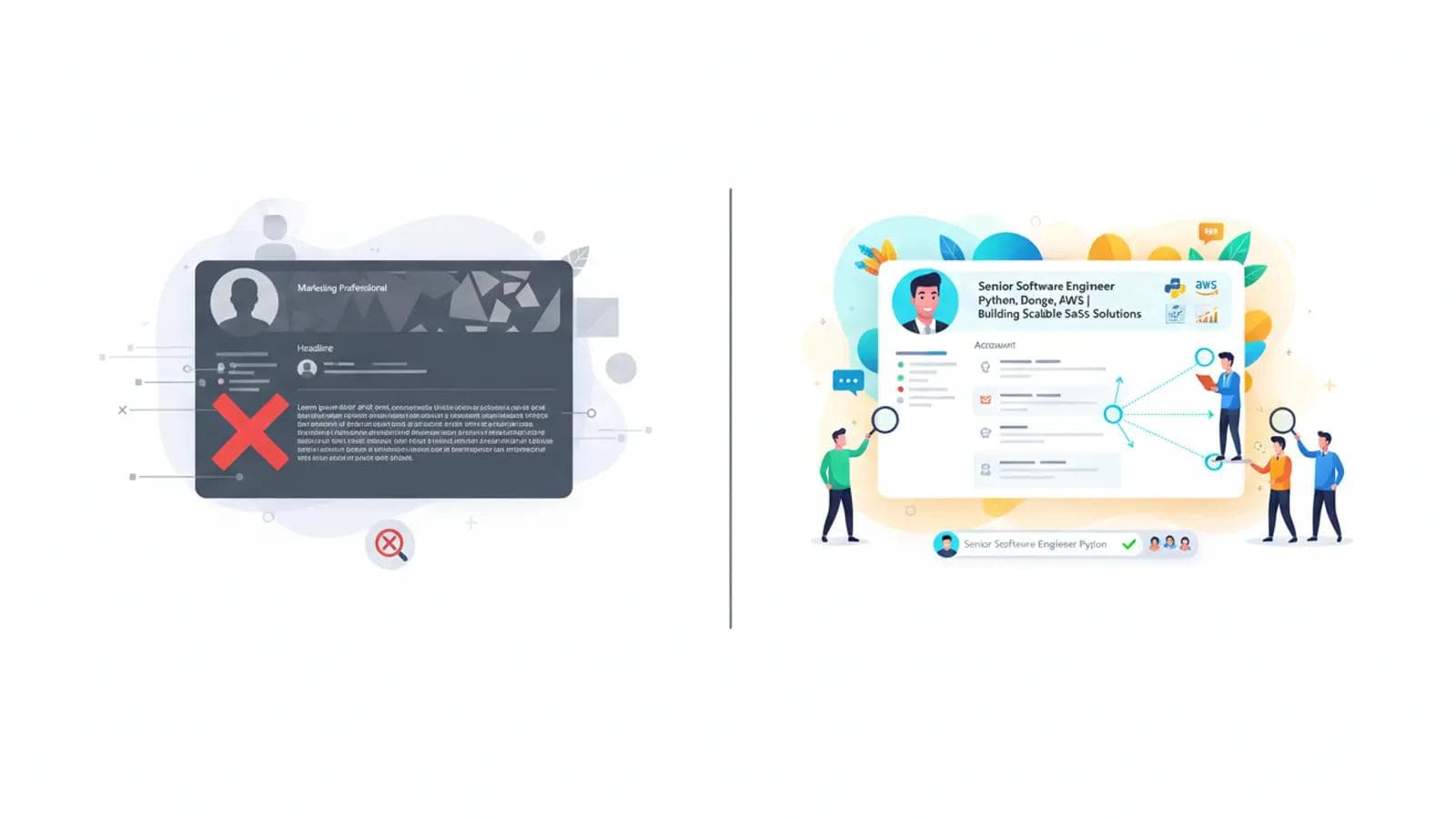
Is Your LinkedIn Profile Invisible to Recruiters?
Did you know that 95% of recruiters use LinkedIn regularly to find candidates? Yet, countless qualified professionals remain undiscovered because their profiles are not optimized for the platform's search algorithm. If you haven't updated your profile in years, you're not just outdated—you're invisible.
LinkedIn is not a static resume; it's a dynamic search engine. To land your dream job, you need to stop thinking like a job applicant and start thinking like an SEO expert. This guide provides a complete framework for LinkedIn optimization, transforming your profile from a digital ghost into a recruiter magnet.
The V.I.P. Method: A Framework for LinkedIn Optimization
To make this process simple and effective, we'll use the V.I.P. Method: Visibility, Impact, and Proof. This proprietary framework ensures you cover every critical aspect of profile optimization to attract top recruiters.
- Visibility: Getting found in search results through strategic keyword usage.
- Impact: Making a powerful first impression with your headline, photo, and summary.
- Proof: Building credibility with detailed experience, skills, and recommendations.
Let's break down each step.
Visibility: How Do You Find the Right Keywords for Your LinkedIn Profile?
Keywords are the foundation of your LinkedIn optimization strategy. When a recruiter searches for "Product Manager with SaaS and Agile experience," the algorithm scans profiles for those exact terms. If they aren't on your profile, you won't appear in the search results.
Step 1: Brainstorm Your Core Keywords
Think about your target role. What titles, skills, and technologies are essential? Create a list.
- Job Titles: Senior Accountant, Director of Marketing, Lead UX Designer
- Hard Skills: Python, SQL, Google Analytics, SEO, Figma, C++
- Soft Skills: Leadership, Communication, Project Management, Strategic Planning
- Industry Jargon: B2B SaaS, Go-to-Market Strategy, Agile Methodologies, CRO (Conversion Rate Optimization)
Step 2: Analyze Job Descriptions
Find 5-10 job descriptions for roles you want. Copy and paste the text into a word cloud generator (like MonkeyLearn or WordArt). The most prominent words are the keywords recruiters are using most frequently.
Pro Tip: Look for keyword variations. A company might list "Data Analysis," "Data Analytics," or "Business Intelligence." You should include all relevant variations in your profile to cast a wider net.
Step 3: Spy on Your Peers and Industry Leaders
Search for people who currently have the job you want. Analyze their headlines, About sections, and Experience descriptions. Note the keywords they use and how they phrase their skills and accomplishments. This is a crucial part of effective LinkedIn SEO.
Impact: How Can I Optimize My LinkedIn Headline and URL?
Once a recruiter finds you, you have about three seconds to make an impact. Your headline and photo are the first things they see. Make them count.
Your Headline: More Than Just a Job Title
Your headline has a 220-character limit. Don't waste it with just "Software Engineer at Acme Corp." Use a formula that packs in keywords and communicates your value.
Formula: [Your Target Role] | [Top 2-3 Skills/Specialties] | [Key Accomplishment or Value Proposition]
Generic vs. Optimized Headlines:
- Generic: "Marketing Manager"
- Optimized: "B2B Marketing Manager | SEO, Content Strategy & Demand Generation | Driving 250%+ Pipeline Growth for SaaS Startups"
- Generic: "Software Developer"
- Optimized: "Senior Software Engineer | Python, AWS, React | Building Scalable FinTech Platforms"
- Generic: "Looking for new opportunities"
- Optimized: "Certified Project Manager (PMP) | Agile & Scrum Expert | Delivering Complex Tech Projects On Time & Under Budget"
This approach to LinkedIn profile optimization immediately tells recruiters who you are, what you do, and the value you bring.
Your Custom URL
A default LinkedIn URL looks messy (e.g., linkedin.com/in/john-doe-a1b2c3d4). Customizing it is a small but professional touch.
- Go to your profile page.
- Click "Edit public profile & URL" on the top right.
- Under "Edit your custom URL," click the pencil icon.
- Change it to
linkedin.com/in/yournameor a professional variation likelinkedin.com/in/yourname-marketing.
Your Profile Photo and Banner
Your Photo: This is non-negotiable. Profiles with a professional headshot get up to 21x more views. Ensure it's high-resolution, you're smiling, and the background is not distracting.
Your Banner (1584 x 396 pixels): This is prime real estate. Use a tool like Canva to create a custom banner that reinforces your brand. Include key skills, a professional tagline, or contact information.
Impact: What Should I Put in My LinkedIn "About" Section?
The "About" section (formerly the summary) is your 2,600-character space to tell your story and integrate your keywords naturally. Don't just list skills; weave them into a compelling narrative.
Follow this four-part structure for maximum impact:
- The Hook (1-2 sentences): Start with your value proposition. Who are you and who do you help?
- The Story (2-3 paragraphs): Briefly explain your background, your passion, and your key areas of expertise. This is where you naturally weave in the keywords you researched earlier. Talk about your approach to problem-solving.
- The Proof (Bulleted List): List your top 3-5 specialties or quantifiable achievements. This makes your skills scannable and provides concrete evidence of your abilities.
- The Call to Action (1 sentence): Tell the reader what you want them to do next. This could be connecting with you, visiting your portfolio, or sending you a message about specific opportunities.
Example for a Digital Marketer:
(Hook) With over 8 years of experience in digital marketing, I specialize in helping B2B technology companies slash customer acquisition costs and increase marketing-qualified leads through data-driven SEO and content strategies.
(Story) My journey began in content writing, where I learned the power of storytelling in connecting with audiences. I quickly expanded my expertise into technical SEO, paid media, and marketing automation, developing a holistic understanding of the full marketing funnel. I thrive on building integrated campaigns that not only generate traffic but convert that traffic into measurable revenue. This comprehensive approach to LinkedIn optimization and digital presence is my core strength.
(Proof) My areas of expertise include:
- SEO & Content Strategy
- PPC Campaign Management (Google Ads, LinkedIn Ads)
- Marketing Automation (HubSpot, Marketo)
- Conversion Rate Optimization (CRO)
- Data Analysis & Reporting
(Call to Action) I'm always open to discussing challenges in demand generation and growth marketing. Feel free to connect or send me a message.
Proof: How Do I Write a Compelling LinkedIn Experience Section?
Most people treat the Experience section like a resume, simply listing their job duties. This is a missed opportunity. To stand out, you need to frame your responsibilities as achievements.
Use the STAR method (Situation, Task, Action, Result) to structure your descriptions. For each role, use 3-5 bullet points that focus on quantifiable results.
Passive vs. Active Achievement Descriptions:
- Passive: "Responsible for managing social media accounts."
- Active: "Grew organic social media engagement by 150% in 6 months by implementing a new content calendar and A/B testing post formats, resulting in a 20% increase in website referral traffic."
- Passive: "Wrote code for the company's main application."
- Active: "Reduced application load time by 35% by refactoring legacy Python code and optimizing database queries, improving user retention by 10% in Q3."
Remember to sprinkle your keywords throughout your descriptions naturally. If you're targeting "Agile" roles, mention the specific Agile ceremonies you led or participated in. This level of detail is key for advanced LinkedIn profile optimization.
Proof: Are LinkedIn Skills & Endorsements Still Important?
Yes, they are—because they are a primary filtering tool for recruiters. The skills you list are indexed by the search algorithm. Having endorsements for those skills validates your expertise.
Your Skills Strategy
- Add 50 Skills: LinkedIn allows up to 50 skills. Use all of them. Include a mix of hard skills, soft skills, and industry-specific tools you found during your keyword research.
- Pin Your Top 3: You can pin your three most important skills to the top of the list. These should directly align with your target job. A recruiter should see your most relevant skills without having to click "Show more."
- Prune Irrelevant Endorsements: If you're a senior executive, you don't need "Microsoft Office" pinned to the top. Unpin it and pin more strategic skills like "P&L Management" or "Go-to-Market Strategy." You can manage your skills by clicking the pencil icon in the Skills section.
Proof: How Do I Get Powerful Recommendations on LinkedIn?
Recommendations are powerful social proof. A glowing review from a former manager or client is far more persuasive than any claim you can make about yourself. Aim for at least two recommendations for your most recent roles.
The Right Way to Ask
Don't just click the "Ask for a recommendation" button. Send a personalized message to make it easy for them.
Recommendation Request Template:
"Hi [Name], I hope you're doing well. I'm currently focusing on my LinkedIn optimization and was hoping you might be willing to write a brief recommendation about our time working together at [Company]. I particularly valued your perspective on my work on the [Specific Project]. If you have a moment, highlighting my skills in [Skill 1, e.g., project management] and [Skill 2, e.g., stakeholder communication] would be incredibly helpful. Of course, I'd be happy to write one for you in return. Thank you!"
What's the Best Way to Show Activity on LinkedIn?
An optimized profile is great, but an active, optimized profile is even better. LinkedIn's algorithm rewards users who engage with the platform. Consistent activity signals to recruiters that you are an active and engaged member of your professional community.
Create a Simple Activity Plan
You don't need to post every day. A simple, sustainable plan is best.
- Comment Thoughtfully (3x a week): Find posts from industry leaders or companies you admire. Add a thoughtful comment that contributes to the conversation. Avoid generic comments like "Great post!" Instead, add your own insight or ask a follow-up question.
- Share with Context (1x a week): Share an interesting article or report relevant to your field. Don't just share the link; add 2-3 sentences of your own commentary explaining why you found it valuable. This is an easy way to demonstrate your expertise. For more advanced tips, check out our guide on effective-professional-networking-online.
- Post Original Content (1-2x a month): This can be a short text post sharing a lesson you learned, a project you completed, or an observation about your industry. This positions you as a thought leader.
Advanced LinkedIn Optimization: Beyond the Basics
Ready to take your profile to the top 1%? Implement these advanced strategies.
Activate Creator Mode
If you plan to post content regularly, turn on Creator Mode. This changes the primary call-to-action on your profile from "Connect" to "Follow" and allows you to showcase topics you talk about (as hashtags) directly under your headline. It signals to the algorithm that you are a content creator, which can boost your visibility.
Curate Your "Featured" Section
Directly below your About section is the Featured section. Use this to showcase your best work. You can feature:
- A link to your personal portfolio or blog.
- A case study you wrote.
- A post you published on LinkedIn that got high engagement.
- A link to a project you're proud of.
This is your personal highlight reel. It's much more powerful than simply writing about your work in your professional-resume-guide.
Complete Every Section
Profile completeness is a ranking factor. Don't skip these sections:
- Volunteer Experience: Shows character and skills gained outside of work.
- Licenses & Certifications: Adds credibility and searchable keywords.
- Projects: Allows you to detail specific work and link to collaborators.
By following the V.I.P. method, you can systematically transform your LinkedIn profile. This isn't a one-time fix; it's an ongoing process of refinement. A powerful LinkedIn optimization strategy is one of the highest-ROI investments you can make in your career. Start today, and let the opportunities find you.
Frequently Asked Questions
You should review and update your LinkedIn profile every 3-6 months, or whenever you complete a major project, acquire a new skill, or earn a certification. Consistent, small updates are better than a major overhaul every few years, as activity is favored by the algorithm.
LinkedIn Premium does not automatically optimize your profile, but it provides tools that can help. Features like seeing who's viewed your profile and getting more data on job applicants can give you insights into which keywords and profile elements are attracting attention, allowing you to refine your optimization strategy.
You can control this. In your 'Settings & Privacy' under 'Visibility,' you can turn off 'Share profile updates with your network.' This prevents your connections from being notified every time you change your headline or update a job description, allowing you to make significant optimizations privately.
The most common mistakes are using a generic headline, having no 'About' section, using a non-professional photo (or no photo at all), and simply listing job duties instead of quantifiable achievements. Another major mistake is failing to include relevant keywords, which makes the profile invisible to recruiters.
Written by Daily Motivation Team
Sharing motivational content to inspire your journey to success.
Related Articles
 stoic
stoicEpictetus Top 30 Quotes: The Discourses Made Accessible
Discover the top 30 Epictetus quotes from the Discourses and Enchiridion — timeless Stoic wisdom made simple and actionable.
 stoic
stoicModern Stoicism: How to Apply Ancient Wisdom in 2026
Discover how modern stoicism turns 2,000-year-old wisdom into a practical toolkit for calm, focus, and resilience in 2026.
 stoic
stoicDaily Stoic Meditation Guide: 10 Minutes Each Morning
Build a daily stoic meditation practice in just 10 minutes each morning — the exact ritual, sources, and mistakes to avoid.
 Creativity
Artistic Inspiration: A Complete Guide
Artistic inspiration isn't luck — it's a trainable skill. Learn 7 daily practices that keep ideas flowing.