
The Lean Canvas: How to Write a One-Page Business Plan
Stop writing 40-page business plans that gather dust. The Lean Canvas is a one-page template to test your startup idea fast. Here's how to use it.
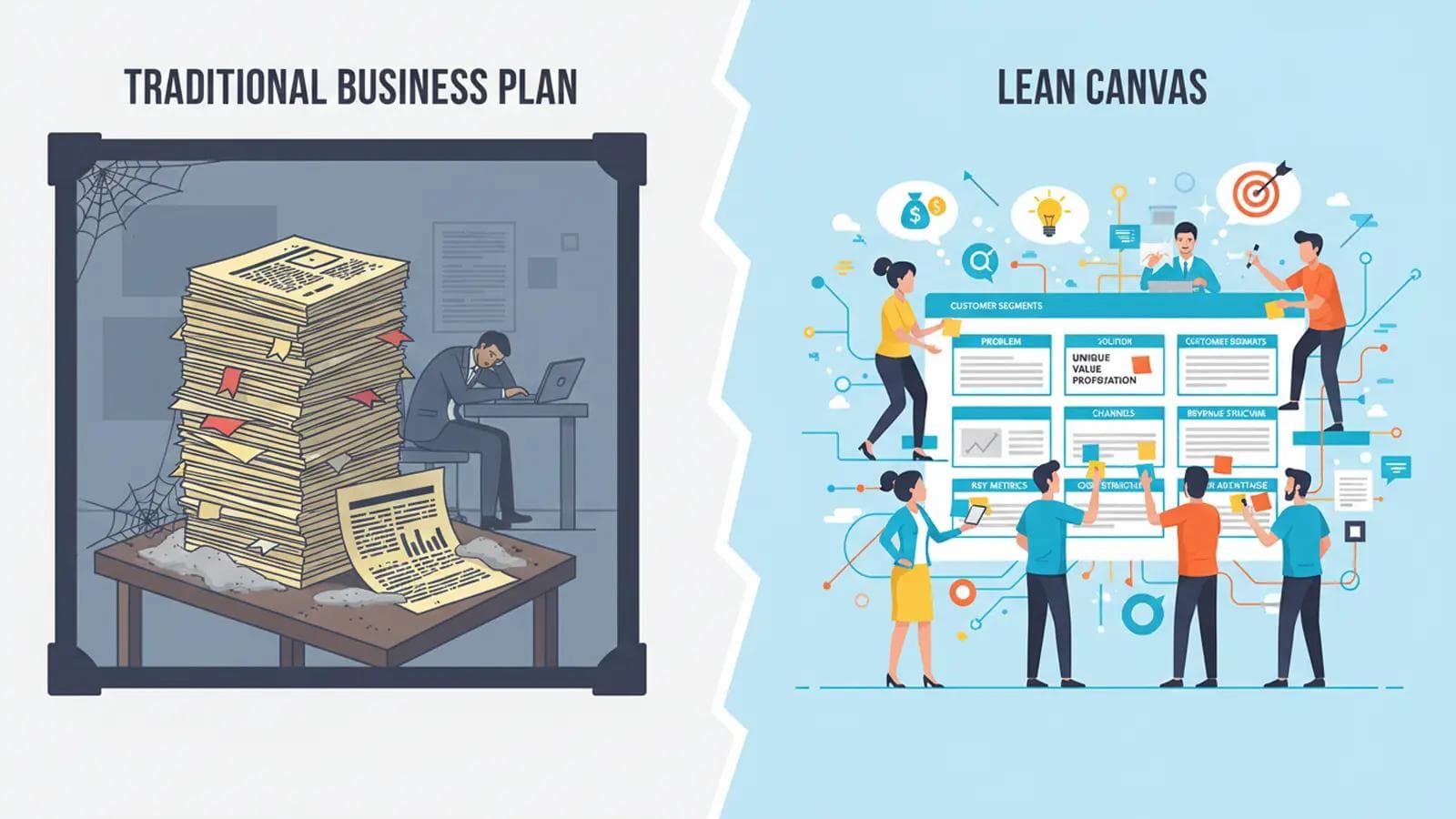
A staggering 9 out of 10 startups fail. The number one reason? They build a product nobody wants. For decades, founders were told to write exhaustive 40-page business plans, locking in assumptions before ever speaking to a single customer. That model is broken.
Instead of a static document, you need a dynamic, one-page blueprint to navigate the uncertainty of a new venture. This is where the Lean Canvas template comes in. It's a tool designed for speed, learning, and building a business that actually solves a real-world problem.
This comprehensive guide will walk you through creating and using your own Lean Canvas, transforming your idea from a guess into a validated business model.
What is a Lean Canvas? (And Why It Beats a 60-Page Business Plan)
The Lean Canvas is a one-page business model template created by Ash Maurya, adapted from Alexander Osterwalder's Business Model Canvas. It's specifically designed for lean startups, focusing on the high-risk assumptions inherent in new ventures.
Its core purpose is simple: to help you deconstruct your idea into its key assumptions, prioritize the riskiest ones, and systematically test them. Instead of spending months writing a plan that's obsolete on day one, you can sketch out a Lean Canvas template in under 30 minutes.
The key benefits are:
- Speed: Go from idea to a testable model in minutes, not months.
- Focus: It forces you to be concise and concentrate on the most critical aspects of your business.
- Customer-Centric: It starts with customer problems, not your solution.
- Dynamic: It's a living document, designed to be updated weekly as you learn from real market feedback.
Lean Canvas vs. Business Model Canvas: What's the Key Difference?
While they look similar, the Lean Canvas and the Business Model Canvas are designed for different stages of a business. The Business Model Canvas is excellent for established companies, while the Lean Canvas is optimized for early-stage startups navigating high uncertainty.
The main differences are in four of the nine boxes:
- Lean Canvas focuses on Problem: It replaces the Business Model Canvas's "Key Partners" with "Problem," forcing you to define a pain point before anything else.
- Lean Canvas focuses on Solution: It replaces "Key Activities" with "Solution," encouraging a minimal viable product (MVP) approach to solve the defined problems.
- Lean Canvas focuses on Key Metrics: It replaces "Key Resources" with "Key Metrics," emphasizing the need to track actionable data from day one.
- Lean Canvas focuses on Unfair Advantage: It replaces "Customer Relationships" with "Unfair Advantage," pushing you to identify a truly defensible competitive edge.
Think of it this way: The Business Model Canvas is about execution and optimization, while the Lean Canvas template is about search and validation.
How to Fill Out Your First Lean Canvas Template: A Step-by-Step Guide
Grab a whiteboard, a piece of paper, or a digital tool like Miro. The goal is to fill this out quickly with your best guesses. Don't overthink it. This is Version 1 of many.
We'll go through each of the 9 boxes, providing actionable advice and examples to guide you.
1. The Problem Box: What Pains Are You Solving?
This is the most important box on the canvas. If you don't solve a real, painful problem, nothing else matters. List the top 1-3 problems your target customer faces.
How to get it right:
- Talk to people! Before you write a line of code, conduct at least 10-15 customer-discovery-interviews. Ask them about their current challenges related to the area you're exploring.
- Listen for pain. Do they mention frustration, wasted time, or lost money? These are strong signals.
- List existing alternatives. How are they solving this problem today? This reveals your true competition (e.g., for a new meal-planning app, the alternative isn't just other apps, it's spreadsheets, pen and paper, or just winging it).
Example: A SaaS tool for freelance graphic designers.
- Bad Problem: "Designers need better tools."
- Good Problem: "Freelance designers waste 5-10 hours per month creating invoices and chasing late payments."
- Good Problem: "They struggle to track project profitability across multiple clients."
- Good Problem: "Quoting new projects is time-consuming guesswork, leading to underbidding."
2. The Customer Segments Box: Who Feels This Pain Most?
You can't target everyone. Who is feeling the problems you listed most acutely? Be as specific as possible. Your initial focus should be on early adopters—the people who are so desperate for a solution they're willing to use a new, imperfect product.
How to get it right:
- Create a proto-persona. Give your ideal customer a name, a job title, and a goal. What are their characteristics?
- Where do they hang out? Identify the blogs, forums, or social media groups they frequent. This will be crucial for your Channels box later.
Example (Continuing the designer SaaS):
- Bad Segment: "Graphic designers."
- Good Segment: "Solo freelance brand identity designers with 2-5 years of experience who serve tech startups."
3. The Unique Value Proposition (UVP) Box: Why You?
Your UVP is a single, clear, compelling message that states why you are different and worth buying. It's the promise of value to be delivered. It must be specific and memorable.
How to get it right:
- Use the formula: For [target customer] who [has this problem], our [product name] is a [product category] that [key benefit].
- Focus on outcome, not features. What is the end result for the customer?
- Test it. Can a potential customer understand your UVP in 5 seconds? If not, simplify it.
Example (Continuing the designer SaaS):
- Bad UVP: "The best accounting software for designers."
- Good UVP: "The all-in-one finance tool that helps freelance designers save 10 hours a month and increase project profitability."
4. The Solution Box: What is Your Minimum Viable Product (MVP)?
Now, and only now, do you start thinking about your solution. This box should be small for a reason. Don't list every feature you can dream of. For each of your top 3 problems, list the single most important feature that solves it.
This defines your Minimum Viable Product (MVP), the smallest version of your product you can build to start learning from real customers. For more on this, see our guide to building an MVP.
How to get it right:
- Map features to problems. Draw a line from each problem in Box 1 to the feature that solves it in Box 4.
- Be ruthless. What is the absolute minimum required to deliver on your UVP?
Example (Continuing the designer SaaS):
- Automated invoice creation from project hours.
- Late payment reminder system.
- Simple project profitability dashboard.
5. The Channels Box: How Will You Reach Your Customers?
How will you get your UVP in front of your customer segment? It's tempting to list every possible channel, but you need to focus. In the beginning, you likely only have the resources to master one or two.
How to get it right:
- Brainstorm broadly: Think about inbound (SEO, content marketing, social media) and outbound (cold email, direct sales, ads).
- Go where your customers are. Remember your research from the Customer Segments box? Start there.
- Prioritize based on cost and scalability. What can you do today for free or cheap to get your first 10 users?
Example (Continuing the designer SaaS):
- Initial Focus: Content marketing (blog posts on "how to price design projects") and direct outreach in designer communities (e.g., Dribbble, Behance forums).
- Later Stage: SEO for keywords like "invoice software for designers," targeted social media ads.
6. The Revenue Streams Box: How Will You Make Money?
How will you capture value from the value you create? This is where you outline your pricing strategy and model.
How to get it right:
- Don't be afraid to charge from day one. Charging is the ultimate form of validation. If no one will pay, you don't have a business.
- Consider different models: Subscription (SaaS), one-time payment, transaction fees, freemium.
- Think about key metrics: What is your projected Lifetime Value (LTV) of a customer? What is your target price point?
Example (Continuing the designer SaaS):
- Model: Tiered monthly subscription (SaaS).
- Tiers: A "Solo" tier at $19/month for up to 5 clients, and a "Studio" tier at $49/month for unlimited clients.
7. The Cost Structure Box: What Are Your Key Expenses?
List all the operational costs required to bring your product to market and support it. Be realistic.
How to get it right:
- Separate fixed and variable costs. Fixed costs don't change with your number of customers (salaries, rent). Variable costs do (server costs, transaction fees).
- Estimate Customer Acquisition Cost (CAC). How much will it cost you in marketing and sales to get one new paying customer?
- Key initial costs: Server hosting, software licenses, marketing budget, salaries.
Example (Continuing the designer SaaS):
- Fixed Costs: Founder salary ($5,000/month).
- Variable Costs: Server hosting (e.g., AWS, scales with usage), payment processing fees (2.9% per transaction), marketing ad spend.
8. The Key Metrics Box: What Numbers Actually Matter?
How will you measure success? Avoid "vanity metrics" like page views or social media followers. Focus on the one or two numbers that tell you if your business is healthy and growing.
How to get it right:
- Use a framework. Dave McClure's AARRR (Pirate Metrics) is a great starting point: Acquisition, Activation, Retention, Revenue, Referral.
- Pick one metric that matters most *right now*. For a brand new product, this might be "Activation"—the percentage of signups who complete a key action (like sending their first invoice).
Example (Continuing the designer SaaS):
- Key Metric: Activation Rate (% of new users who create and send their first invoice within 7 days).
- Secondary Metrics: Customer Lifetime Value (LTV), Customer Acquisition Cost (CAC), Churn Rate.
9. The Unfair Advantage Box: What's Your Defensible Edge?
This is often the hardest box to fill. An unfair advantage is something that cannot be easily copied or bought by your competitors.
What a real unfair advantage IS:
- Insider information: Unique knowledge of a market.
- A dream team: World-class experts in a specific field.
- Personal authority: A large, engaged, existing audience.
- Patents: Real, defensible intellectual property.
- Network effects: The product becomes more valuable as more people use it (e.g., Facebook).
What it IS NOT:
- "We're first to market."
- "We have a cool feature."
- "We work harder."
If you don't have one yet, that's okay. Leave it blank. Your goal is to work towards building one.
My First Lean Canvas Template: A Real-World Example
Let's see how this works in practice. Imagine a startup called "MealFlow."
Initial Lean Canvas (Based on Assumptions):
- Problem: People don't know what to cook for dinner.
- Customer Segment: Busy professionals.
- UVP: The easiest way to plan your weekly meals.
- Solution: An app with recipes and a shopping list generator.
- Revenue: $9.99/month subscription.
After conducting 20 customer interviews, the founders learned something crucial. Their initial problem was too generic. The real pain wasn't finding recipes; it was finding recipes that fit specific dietary needs (gluten-free, vegan, low-FODMAP) and still tasted good.
Updated Lean Canvas (Based on Evidence):
- Problem: It's difficult and time-consuming for people with dietary restrictions to find exciting, safe recipes.
- Customer Segment: Individuals recently diagnosed with Celiac disease or IBS.
- UVP: Delicious, certified gluten-free meal plans that take the stress out of cooking.
- Solution: A recipe database searchable by restriction, with certified nutritionist-approved plans.
- Revenue: $14.99/month premium subscription (higher price for a more specific, valuable solution).
This pivot, guided by the lean canvas template, took them from a generic idea to a highly-focused business with a clear, passionate customer base.
Common Mistakes to Avoid When Using a Lean Canvas
This powerful tool can be misused. Here are three common traps to avoid:
- Treating It as a Static Document: The biggest mistake is filling it out once and putting it in a drawer. Your canvas should be a living document. Review and update it weekly based on what you've learned.
- Falling in Love With Your Solution: The canvas is designed to make you fall in love with the problem. If you're unwilling to change your solution based on customer feedback, you're missing the point.
- Guessing Instead of Testing: Every box on your first canvas is a guess. The goal is to systematically turn those guesses into facts through experiments, surveys, and interviews. Don't just admire your canvas; get out of the building and test it.
Where to Find a Downloadable Lean Canvas Template
Ready to create your own? You don't need fancy software. The best way to start is with a simple, flexible format.
- PDF for Printing: We've created a simple, clean lean canvas template PDF you can download and print for brainstorming sessions.
- Google Sheets / Docs: You can easily create a 3x3 grid in a Google Doc or Sheet to collaborate with your team.
- Digital Whiteboard Tools: Platforms like Miro and Mural have excellent pre-built Lean Canvas templates that are perfect for remote teams.
Starting your business journey with a Lean Canvas template is one of the smartest decisions you can make. It replaces rigid, assumption-filled plans with a fluid, evidence-based roadmap. It keeps you focused on what truly matters: solving a real problem for a real customer. Download a template, grab a coffee, and start building a business that lasts.
Frequently Asked Questions
The main purpose of a Lean Canvas is to help entrepreneurs quickly deconstruct their business idea into key assumptions and systematically test them. It's a one-page business plan focused on speed, learning, and reducing the risk of building something nobody wants.
A Lean Canvas is ideal for early-stage startups, entrepreneurs, and product managers who are dealing with high uncertainty. It's most effective when you are pre-product/market fit and need to validate a business idea quickly and efficiently.
The Lean Canvas is an adaptation of the Business Model Canvas. The key difference is its focus on the problem-solution dynamic. It replaces the BMC's 'Key Partners,' 'Key Activities,' 'Key Resources,' and 'Customer Relationships' blocks with 'Problem,' 'Solution,' 'Key Metrics,' and 'Unfair Advantage,' making it more suitable for startups.
Your Lean Canvas is a living document and should be updated frequently, especially in the early stages. A good practice is to review and update it at least once a week based on the feedback and data you've gathered from customer interviews, experiments, and market research.
Written by Daily Motivation Team
Sharing motivational content to inspire your journey to success.
Related Articles
 manifestation
O Method Manifestation: A Complete Guide
Learn how the O Method manifestation works, why it's so effective, and exactly how to practice it for real results.
 stoic
stoicEpictetus Top 30 Quotes: The Discourses Made Accessible
Discover the top 30 Epictetus quotes from the Discourses and Enchiridion — timeless Stoic wisdom made simple and actionable.
 stoic
stoicModern Stoicism: How to Apply Ancient Wisdom in 2026
Discover how modern stoicism turns 2,000-year-old wisdom into a practical toolkit for calm, focus, and resilience in 2026.
 stoic
stoicDaily Stoic Meditation Guide: 10 Minutes Each Morning
Build a daily stoic meditation practice in just 10 minutes each morning — the exact ritual, sources, and mistakes to avoid.